For macOS · Apple Silicon

No more
"Untitled.pdf."

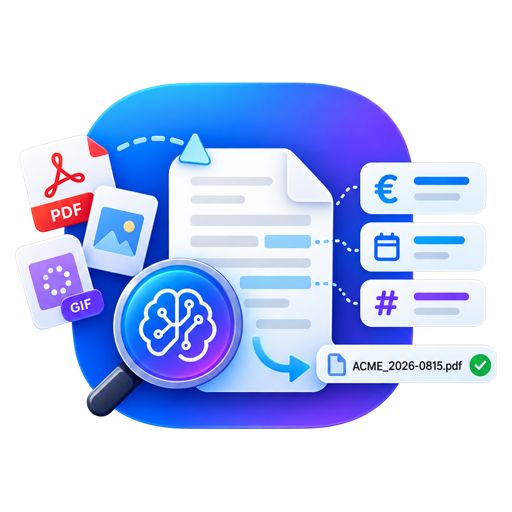
DocUnderstand processes invoices, contracts, and photos via drag & drop: automatic filenames, Finder tags, data extraction as JSON/CSV. And it does more — build a knowledge base from your documents, ask it questions in chat, and even have it draft support replies via REST API. Built for professional use — for your business and power users alike. 100 % local on your Mac – cloud processing is optional.

Scan_2026-08-15
14.32.11.pdf

2026-08-10 T-Mobile
Mobile Bill 99€.pdf

Invoice Mobile
invoice.json
{
  "filename": "2026-08-10 T-Mobile Mobile Bill 99€.pdf",
  "documentType": "Invoice",
  "tags": ["Invoice", "Mobile"],
  "extraction": {
    "invoiceNumber": "RG-2026-081045",
    "invoiceDate": "2026-08-10",
    "currency": "EUR",
    "netAmount": 82.50,
    "vatAmount": 16.50,
    "grossAmount": 99.00,
    "senderVatId": "ATU12345678",
    "issuer": { "name": "T-Mobile Austria GmbH", "country": "AT" },
    "customerNumber": "70123456",
    "servicePeriod": "01.–31.07.2026"
  }
}

Three pillars. One app.

Built for professional use — for your business and for power users alike. Filing, knowledge, and integration are equal pillars, and everything can run entirely on your Mac if you choose.

Pillar 1

Understand & File Documents

Drag files onto the app — done. Descriptive filenames, automatic Finder tags, and, if you like, a sidecar file (JSON/CSV) with all the extracted data. From photos, the app also reads EXIF, GPS, IPTC, and XMP metadata.

Watch the demo with sound
Pillar 2 · New

Knowledge Base & AI Support

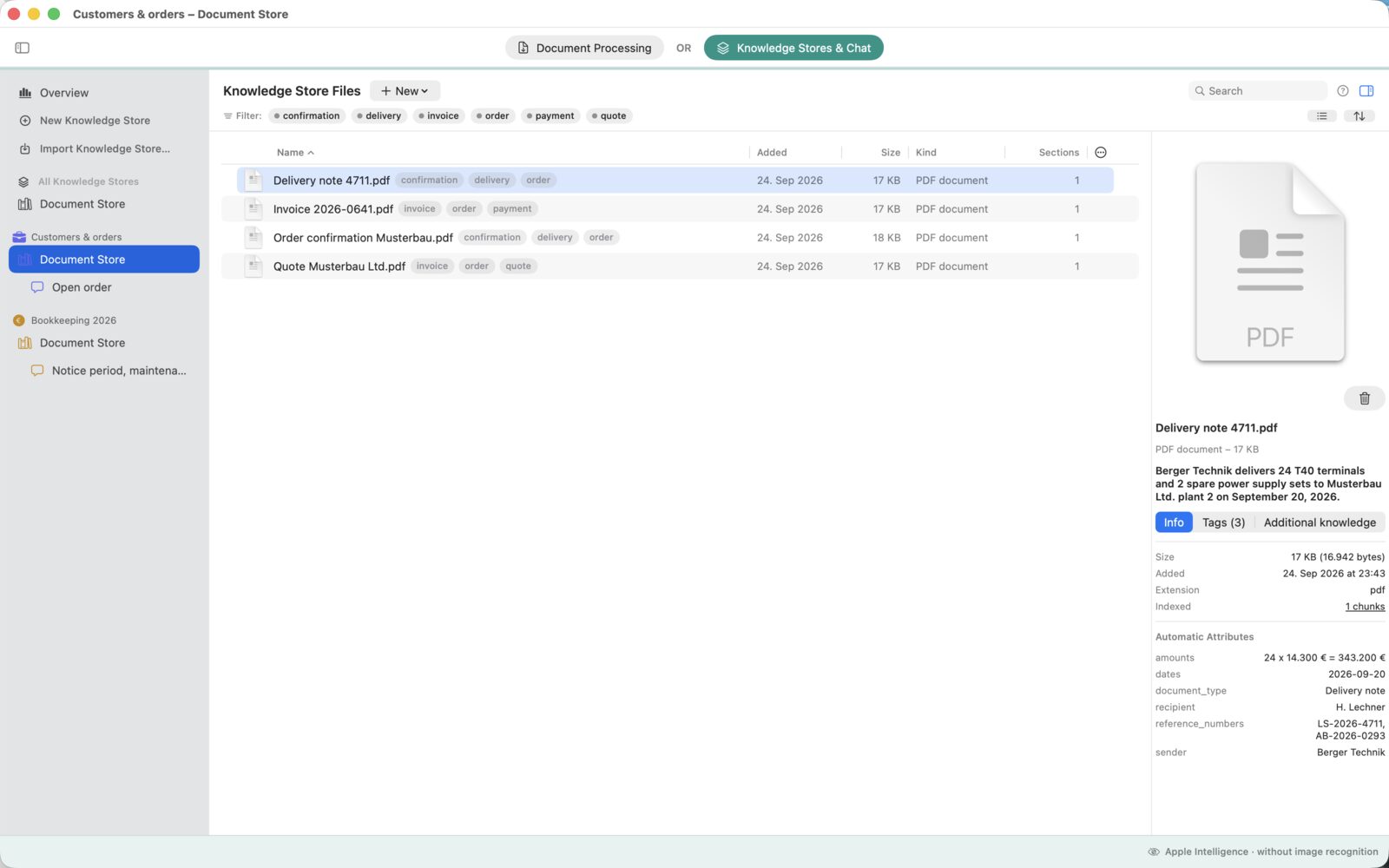
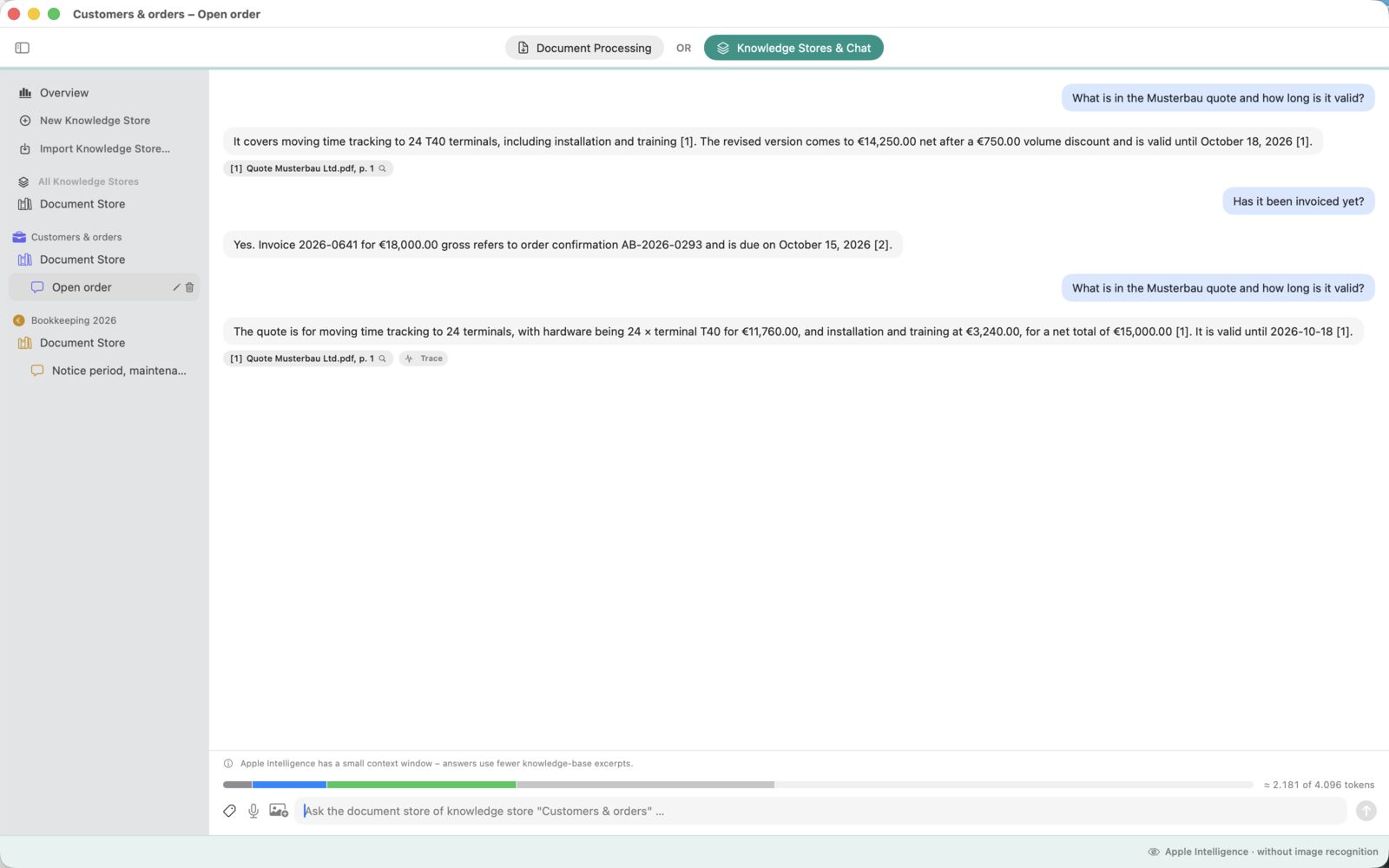
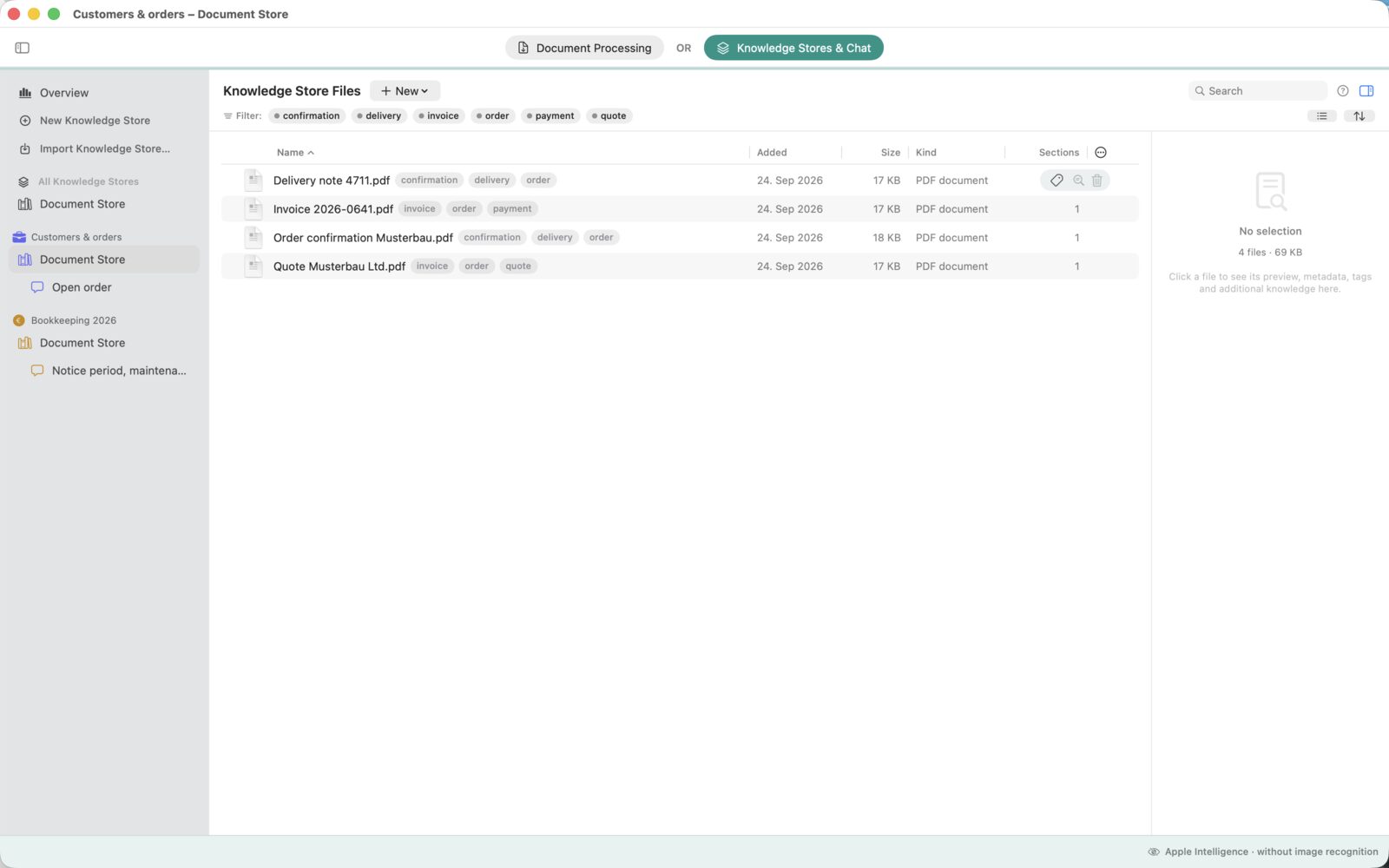
Add documents to project knowledge bases and ask questions in chat — with clickable citations down to the exact page. Photos can be queried too, and for customer support, DocUnderstand drafts ready-to-send reply suggestions from your own knowledge.

Watch the demo with sound
Pillar 3

REST API & Integration

Not an afterthought, but an equal citizen: every feature is also available via REST API — recognize and extract documents, query the knowledge base, draft support replies, manage the knowledge base. With interactive API documentation built into the app, and examples that paste in as ready-to-use FileMaker script steps.

Watch the demo with sound

Four steps, zero effort.

DocUnderstand comes with a local REST API. Any application that can make HTTP requests — e.g. FileMaker, Xojo, scripts, your own tools — can have documents recognized (/process, /extract), query the knowledge base (/ask), draft support replies (/draft-reply), and manage the knowledge base itself.

01 · Drop it in

Drop a file or folder

Drag it onto the app window or the Dock icon — PDF, JPG, PNG, HEIC, GIF, TXT, or Markdown, including entire folders recursively.

02 · Recognize

Text becomes readable

Built-in text recognition (OCR) makes even photographed or scanned documents searchable.

03 · Understand

AI reads type, date, amount

Whether it's an invoice, bank statement, or contract: the AI picks out the key details — optionally right on your Mac.

04 · File it

Automatically named & tagged

The file gets a descriptive name and matching Finder tags — instantly findable, with no filing system required.

Ask your documents.

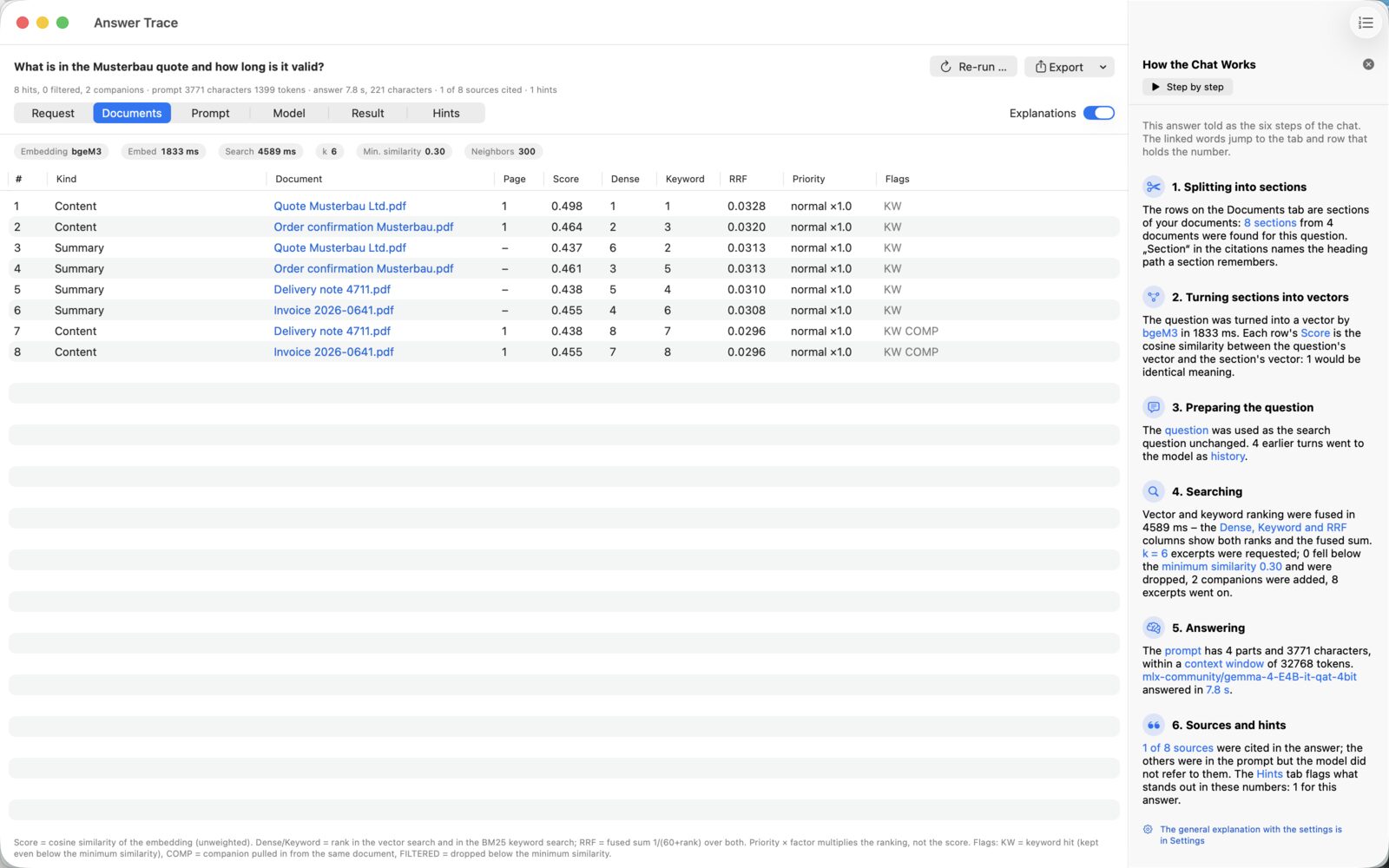
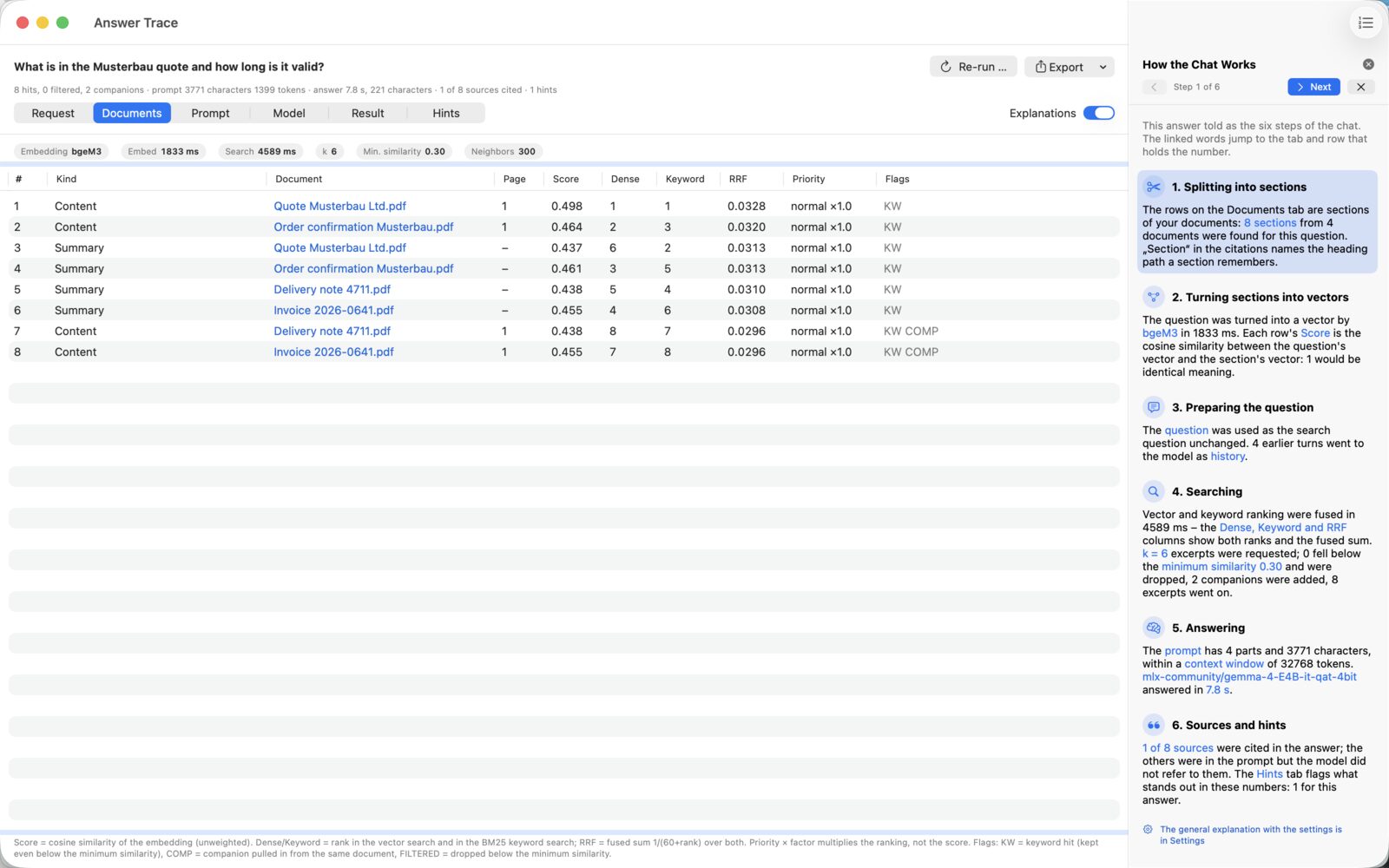
Drag contracts, invoices, manuals, or meeting notes into a knowledge base — then just ask. Every answer comes with a citation, and indexing runs entirely on your Mac.

  • Projects — separate knowledge bases for contracts, clients, associations, or reference material, each with its own chats and its own answer style.
  • Clickable citations — every answer cites its sources; one click opens the document straight to the cited page.
  • Photos & PDFs in chat — drag a photo or invoice straight into the chat and ask: “What's the invoice total?”
  • Question-answer pairs — store knowledge that isn't written down anywhere as its own entries.
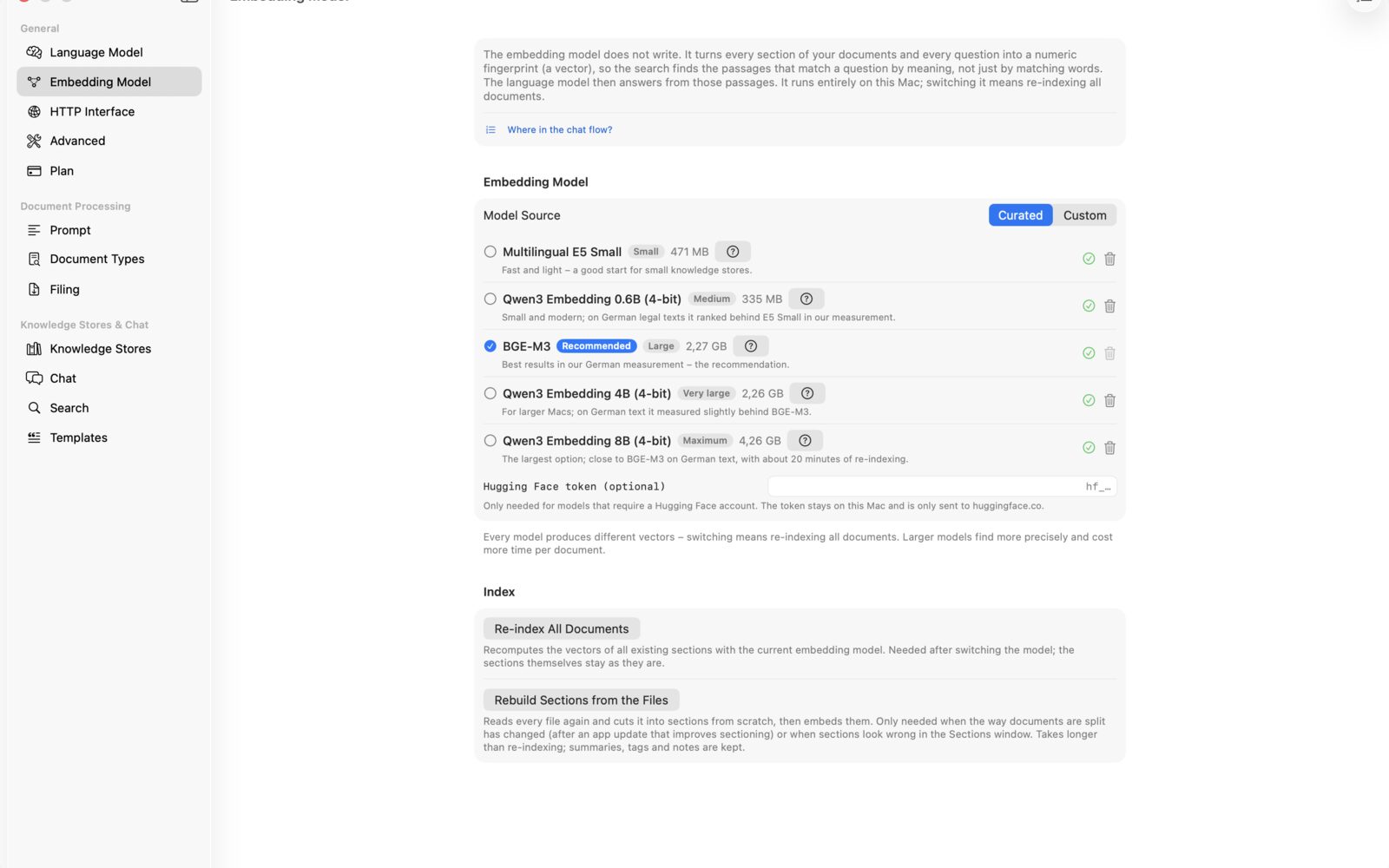
  • Entirely local — indexing and search run on a local embedding model on your Mac; your documents never travel to the cloud.

Your support team, answering with your knowledge.

Your knowledge base becomes a support assistant: DocUnderstand reads incoming customer inquiries, you enrich them with data from your order system — and get ready-to-send reply suggestions back. All via REST API, all on your Mac.

01 · /extract

Understand the request

The incoming email is analyzed: what's it about, which order or customer number is mentioned? You get structured JSON back.

02 · Your data

Look up the order

Your system — e.g. FileMaker — uses the extracted number to look up the order: status, tracking, delivery date.

03 · /draft-reply

Draft the reply

DocUnderstand combines the customer message, order data, and your knowledge base into 1–3 ready-to-send reply suggestions — your team reviews and sends.

Terminal · Requesting a reply suggestion
curl -X POST http://localhost:8787/draft-reply \
  -H "Authorization: Bearer docunderstand-xxxxxxxx" \
  -H "Content-Type: application/json" \
  -d '{
    "message": "Where's my order 4711?",
    "context": { "order": { "nr": "4711",
      "status": "shipped", "tracking": "DHL 00340434…" } },
    "suggestions": 2
  }'
Response · ready-made suggestions
{
  "suggestions": [
    "Hello! Your order 4711 has already shipped. You can track the shipment with DHL 00340434… …",
    "Thank you for your message! …"
  ]
}

Interactive API docs built in

Every endpoint comes with a description and a ready-made example call using your real port and key — try it right in the app, including a step-by-step guide for the support workflow.

FileMaker: just paste it in

One click copies the examples as real FileMaker script steps to your clipboard — paste with ⌘V in the script workspace, done.

Stateless & local

No session handling, no cloud requirement: every request stands on its own, with conversation history simply sent along. Runs only on this Mac by default.

Your documents stay where they belong.

Invoices and bank statements are sensitive. That's why analysis runs directly on your Mac by default – the cloud is never required.

Ready with no download

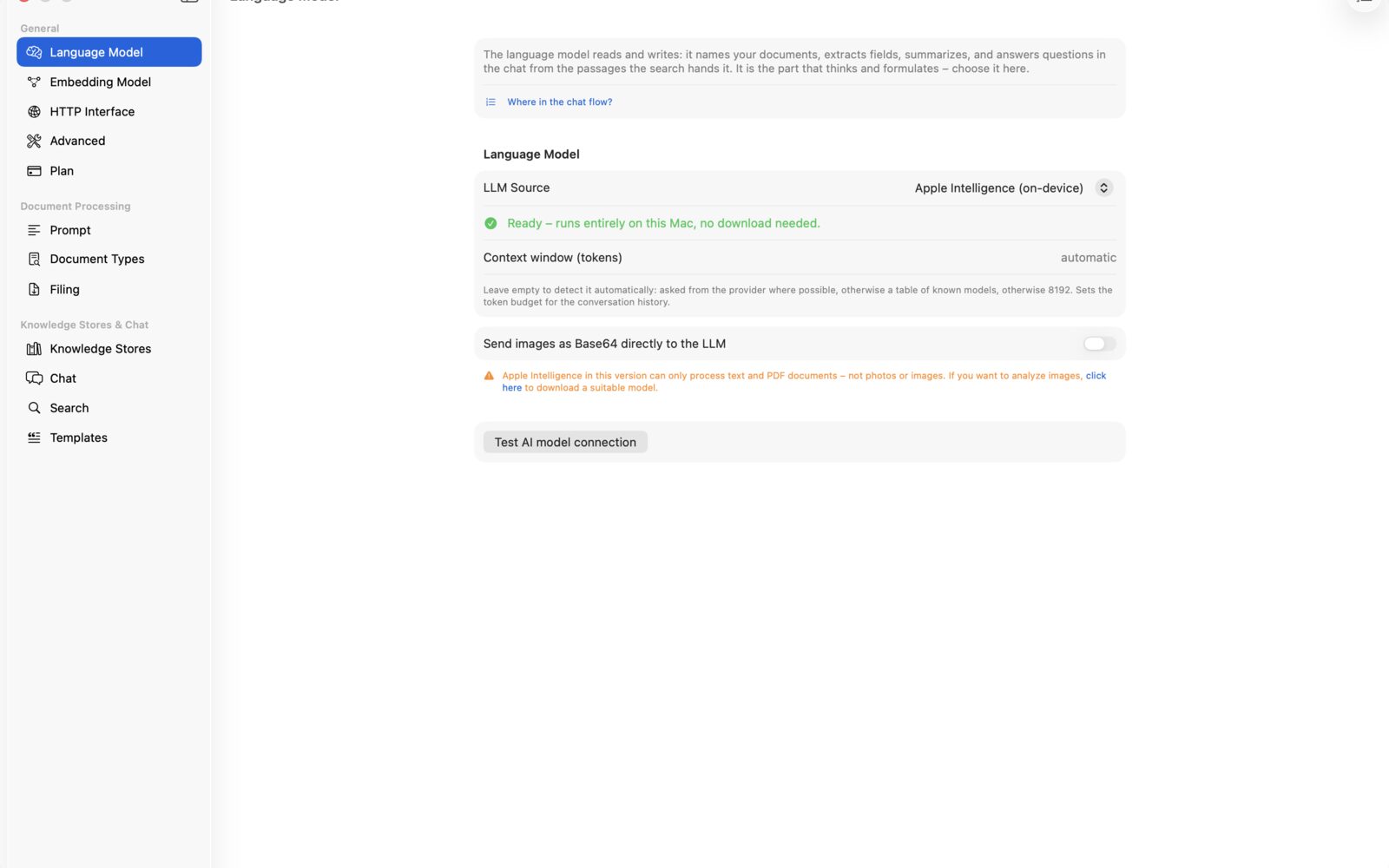
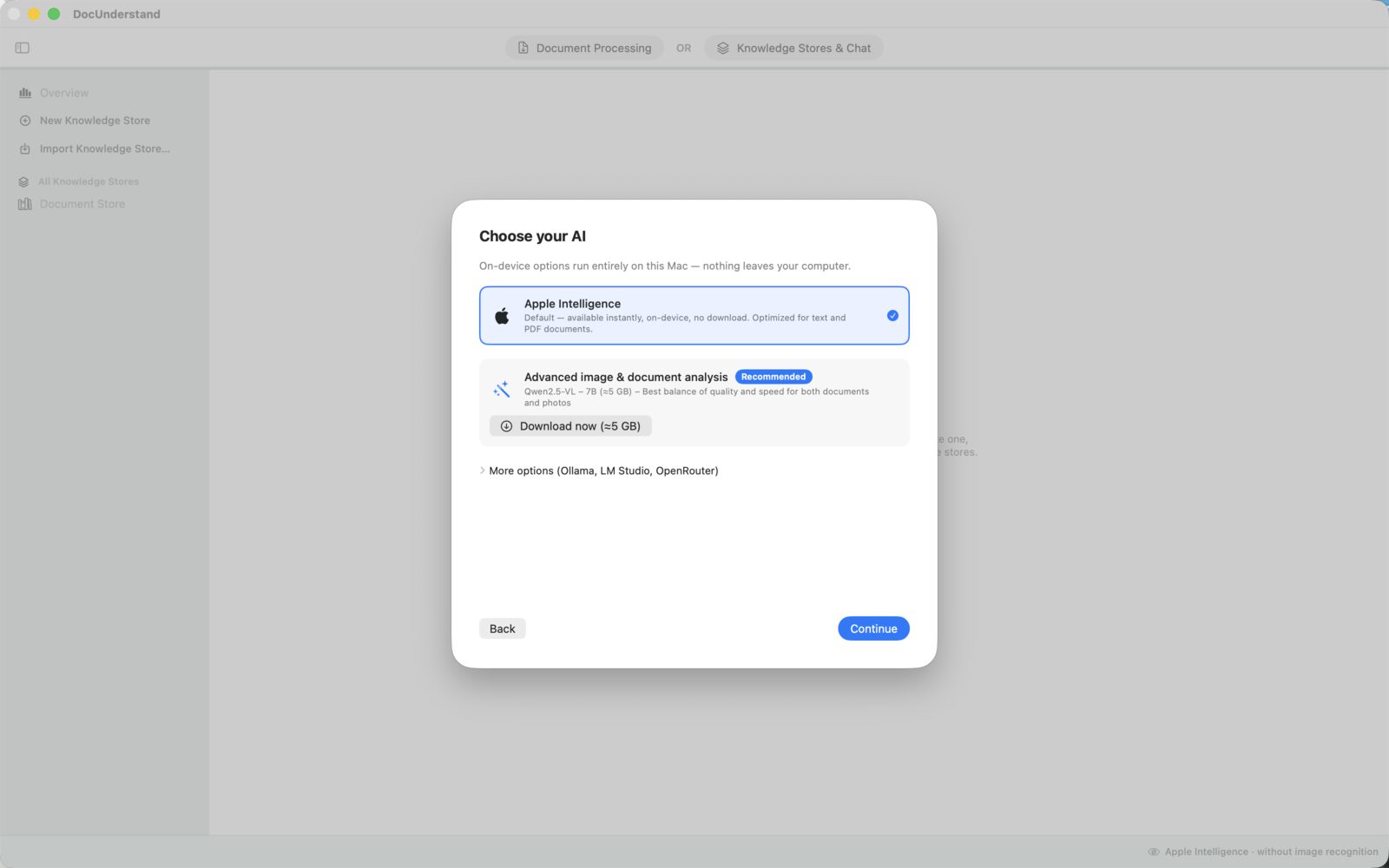
Apple Intelligence

Uses the AI model built into macOS — works instantly, entirely on-device, with no data ever leaving your Mac.

Works offline too

Local AI Model

Eight curated models are available right inside the app — download and select with a click, no command line required. Fully usable offline, including image recognition.

For power users

Ollama, LM Studio & more

Already running your own server? DocUnderstand talks to Ollama, LM Studio, or — if you prefer — OpenRouter in the cloud.

One window. That's all it takes.

No filing system to learn, no menus to get lost in — just a place to drop your files.

DocUnderstand – main window
Main window — drop files or folders, the app handles the rest
First-time setup – Welcome
Welcome — the setup walks you through dropping, recognizing, and filing in three steps
First-time setup – Choose AI
Choose AI — Apple Intelligence is ready instantly, and a more powerful local model downloads with a single click
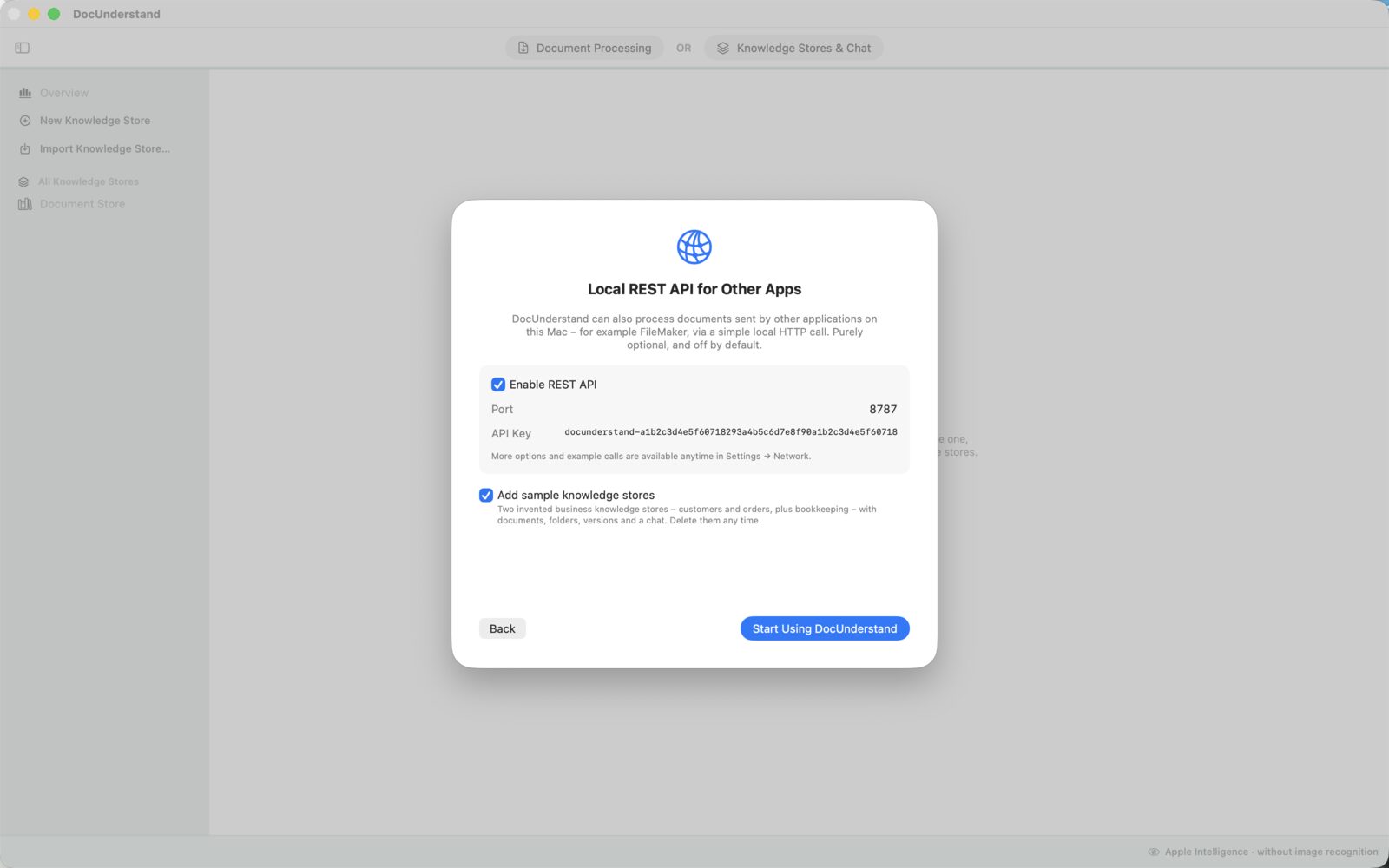
First-time setup – REST API
REST API — the local interface for other apps can be turned on right during setup
Settings – AI Model – Apple Intelligence
AI Model: Apple Intelligence — runs instantly, entirely on your Mac, no download required
Settings – AI Model – Local Model
AI Model: Local Model — eight curated models right in the app, optionally with image recognition
Settings – Prompt
Prompt — the analysis prompt is fully visible and freely editable
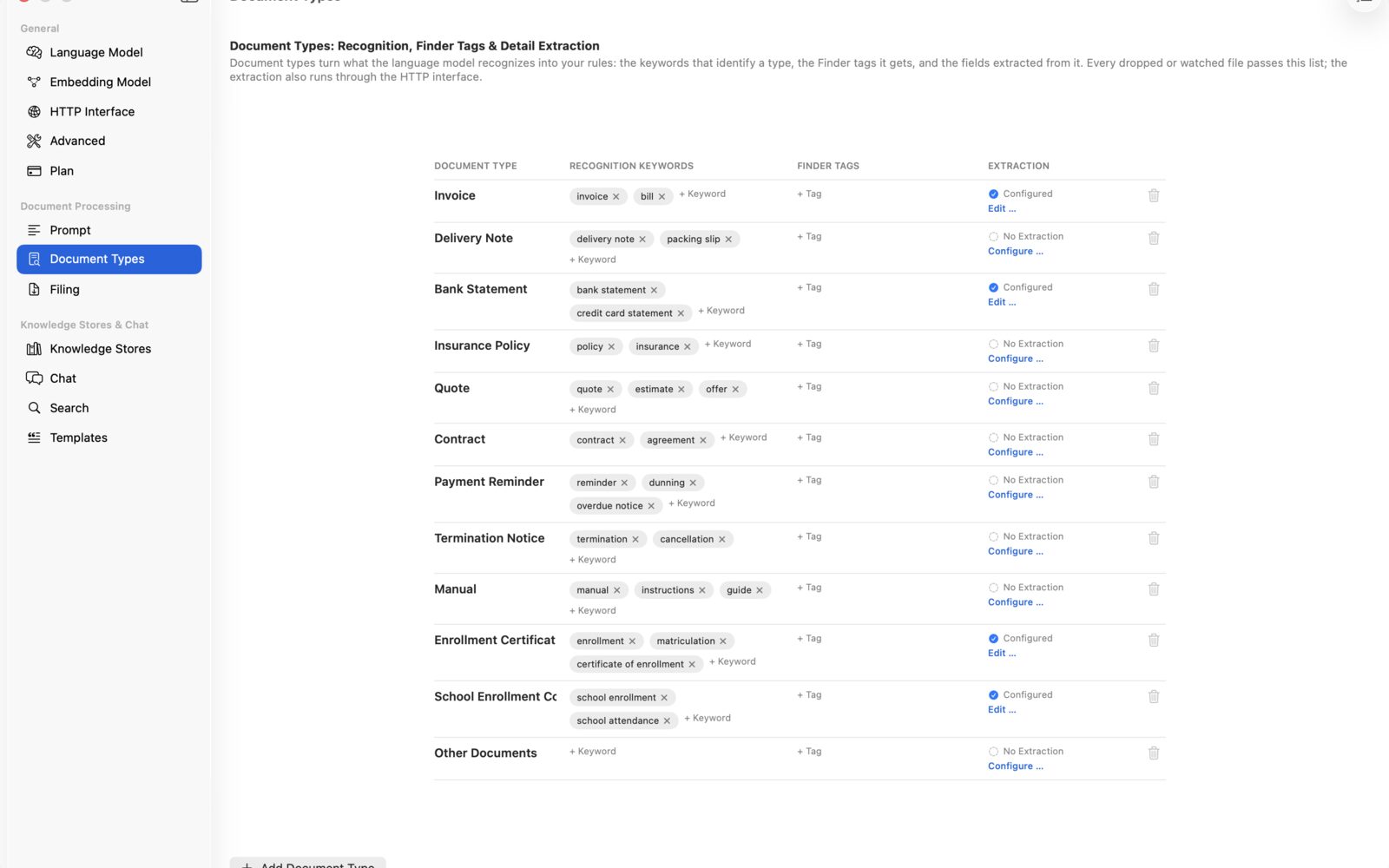
Settings – Document Types
Document Types — recognition, Finder tags, and detail extraction per document type
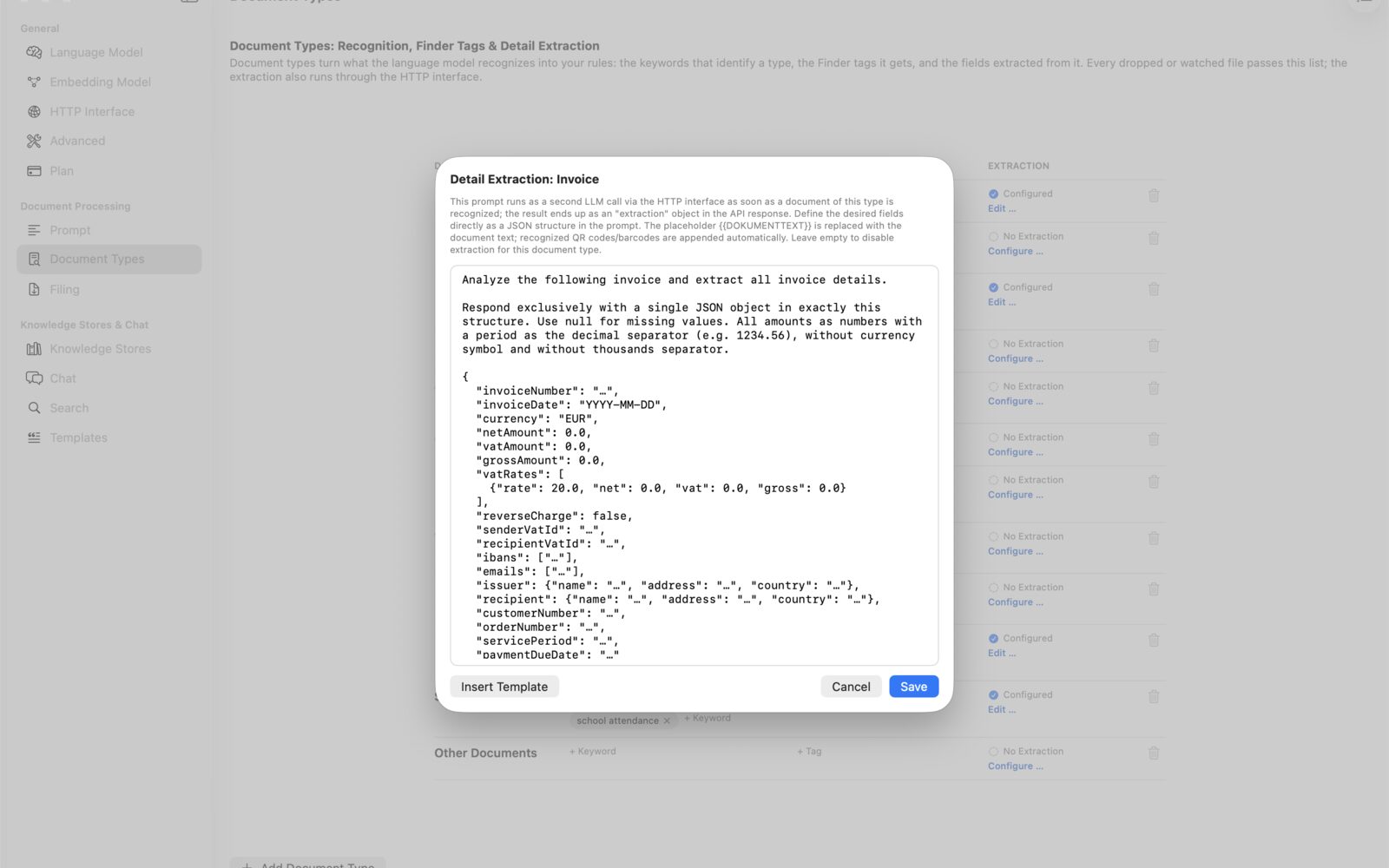
Settings – Detail Extraction: Invoice
Detail Extraction: Invoice — preconfigured for invoices: amounts, IBAN, VAT IDs, and more, all as JSON
Settings – Drag & Drop
Drag & Drop — sidecar file as JSON or CSV, plus a notification when done
Settings – Network
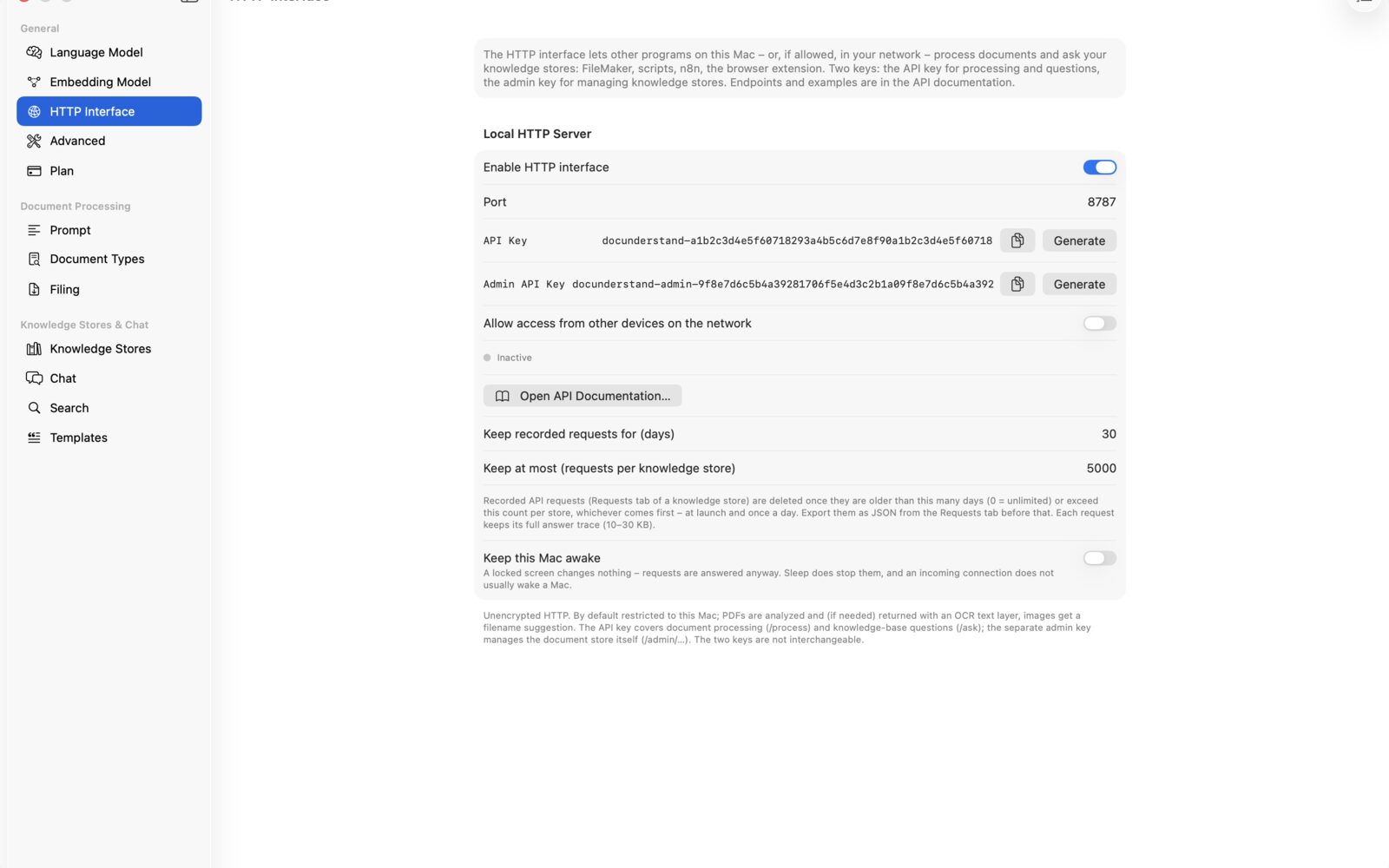
Network — set up the local REST API with port, API key, and example requests
Settings – Advanced
Advanced — debug log for troubleshooting, enable only when needed

Works with your other apps too.

DocUnderstand ships with a local REST API. Any application that can make HTTP requests — e.g. FileMaker, Xojo, scripts, your own tools — can send documents for recognition and get back named files, Finder tags, and structured data.

Terminal
curl -X POST http://localhost:8787/process \
  -H "Authorization: Bearer docunderstand-xxxxxxxx" \
  -H "Content-Type: application/json" \
  -d '{"filename":"Invoice.pdf","mimeType":"application/pdf","data":"<Base64>"}'
FileMaker · Script Steps
// Encode PDF container as Base64
Set Variable [ $data ; Base64EncodeRFC ( "base64" ; Document::PDF ) ]
Set Variable [ $body ; JSONSetElement ( "{}" ;
  [ "filename" ; Document::Filename ; JSONString ] ;
  [ "mimeType" ; "application/pdf" ; JSONString ] ;
  [ "data" ; $data ; JSONString ] ) ]

Insert from URL [ Target: $response ; "http://localhost:8787/process" ;
  cURL options: "-X POST -H \"Authorization: Bearer " & $$APIKey &
    "\" -H \"Content-Type: application/json\" --data @$body" ]

Set Field [ Document::Filename_new ; JSONGetElement ( $response ; "filename" ) ]
Set Field [ Document::Tags ; JSONListValues ( $response ; "tags" ) ]

JSON response

Filename, document type, Finder tags, recognized text, and for known document types, structured fields like invoice number or amount — ready to use right away. For images, also EXIF, GPS, IPTC, and XMP metadata (camera, location, copyright, and more).

Locked down securely

Bound to 127.0.0.1 by default and protected by API keys — one key for requests, a separate admin key for managing the knowledge base. Access from your local network is a deliberate, one-off choice.

Switch it on or off

Set the port and API keys in the Network settings — or turn it off entirely if you don't need it. The interactive API documentation in the app shows every endpoint, ready to try.

Try it, then decide.

500 requests free — documents and chat questions combined, with no time limit. After that, choose the plan that fits how you work.

To get started

Free

$0

500 requests included — processed documents and chat questions combined. A counter always shows where you stand.

  • All features, ready to explore
  • Knowledge base, chat & REST API
  • Apple Intelligence & local models
For filing

Subscription

$1.99/month

Unlimited document processing — naming, tagging, extracting, also via REST API.

  • Process unlimited documents
  • REST API: /process & /extract
  • Cancel monthly
Everything included

Pro

$19.99/month

Everything in the subscription plan plus the full knowledge base — cancel monthly.

  • Unlimited chat & knowledge base
  • Support API: /ask & /draft-reply
  • Projects, citations, photo chat
Best value

Pro · Yearly

$199/year

The full Pro plan billed yearly — about two months free compared to paying monthly.

  • All Pro features
  • Equivalent to $16.58 per month
  • Cancel yearly

Prices as listed on the App Store; they may vary slightly by country. Subscriptions can be canceled anytime, directly in the App Store.

Frequently asked questions

Are my documents safe?
Yes. With Apple Intelligence or a local AI model, no document ever leaves your Mac — even the knowledge base is indexed on-device with a local embedding model. Data is only transmitted if you actively choose to connect your own server or a cloud service.
What is the knowledge base?
A searchable collection of your own documents, organized into projects. The app breaks each document into sections and finds the matching passages for a question — the AI then answers based solely on your documents and cites the sources down to the page. You can also add your own question-answer pairs.
What counts as a request in the free version?
Every processed document and every answered chat or API question counts as one request. 500 of those are free, and a counter in the app always shows where you stand. Adding documents to the knowledge base doesn't cost anything.
Do I need an internet connection?
No — once a local AI model is downloaded or Apple Intelligence is enabled, recognition, the knowledge base, and chat all work completely offline.
Which file formats are supported?
PDF, JPG, PNG, HEIC, GIF, as well as TXT and Markdown — individually or as an entire folder, including subfolders.
What does the app cost?
The first 500 requests (documents and chat questions) are free. After that, there are two subscriptions: unlimited document processing for $1.99 per month, or Pro with the knowledge base, chat, and support API for $19.99 per month or $199 per year.
Can I customize document types and naming myself?
Yes. Custom document types, recognition keywords, Finder tags, and even the entire analysis prompt can be freely customized in Settings. The chat's answer style can also be set per project.
Does it work with Ollama or LM Studio?
Yes, both are natively supported and can be set up in the Network settings — ideal if you're already running your own model.
Which REST endpoints does the API offer?
Recognize and name documents (/process), extract specific data (/extract), query the knowledge base (/ask), draft support replies (/draft-reply), plus management endpoints for projects, documents, and question-answer pairs, secured with a separate admin key. The interactive API documentation in the app shows ready-made examples for every endpoint — for FileMaker, even as pasteable script steps.

Ready for documents that think along with you?

Start for free, 500 requests included.

Download on the App Store